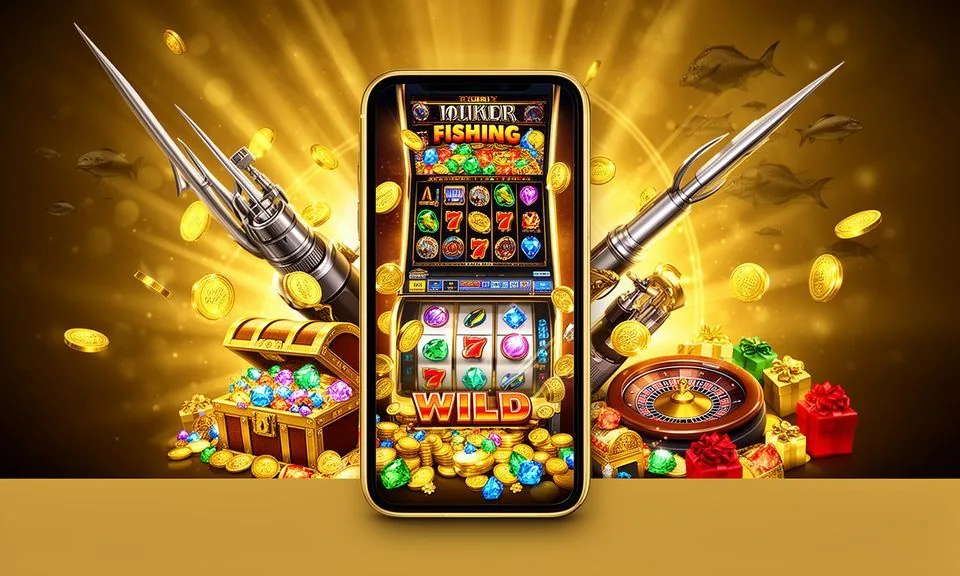
The 678bd1 lobby loads through your mobile browser — no store download required to browse game categories, check your account or explore available tables. Access depends on your device's browser support and local eligibility in Bangladesh.
Rather than a separate install, 678bd1 delivers its lobby through a mobile-optimised web experience. When you open the site on your phone, the navigation adjusts to a compact layout — game categories sit in a scrollable rail at the top, your account
WHAT RENDERS ON MOBILE
Mobile Access Features Worth Knowing
These are the specific page behaviours you can verify when you open 678bd1 on a mobile browser. Each point describes what renders in the browser session — not a native-app capability. Check the live site to confirm current availability for your device and region in Bangladesh.
Responsive Game Rail
The category rail at the top of the lobby adjusts to your screen width. Slots, live casino, crash and fishing categories each have a dedicated strip. Scroll horizontally to reach titles like Football Goal Rush or Rickshaw Art Prize without pinching or zooming.
Account Access on Mobile
Your wallet summary, deposit history and account settings open through the same header icon you see on desktop. The account page renders in a single-column format on mobile, making it straightforward to review your balance or update account details.
Game Launch in Browser
Tap a game card and it opens inside the same browser tab — no redirect to a store or external launcher. Game studios including Microgaming and Bigtime Gaming load their titles through the browser session, so your device's browser version matters for smooth rendering.
Help Pages on Small Screens
Support and FAQ pages reflow to a single column on mobile. The accordion-style FAQ keeps answers compact so you can scan topics quickly. Published support routes remain accessible from the footer on every page, including mid-session on a game page.
THREE STEPS TO START
Mobile Access in 3 Steps
Getting into the 678bd1 lobby on your phone follows a short path through your existing browser — there is no APK to download and no app-store listing to find. The steps below reflect what the site currently asks you to do.
Open the Current Site
Type the 678bd1 domain directly into your mobile browser address bar or use a saved bookmark. Confirm the domain matches the current published address before entering any account credentials — this protects you from lookalike pages.
Check Browser Compatibility
The site works with mainstream mobile browsers that support modern JavaScript. If a game or page element does not load, try refreshing or switching to an updated browser build. The site's help section lists any browser-specific notes currently published.
Sign In Securely
Tap the account icon in the header and enter your registered credentials. Follow any verification step the sign-in page displays. Once authenticated, your wallet, game history and category navigation are all available in the same session without re-entering your details.
Bookmark for Next Visit
After signing in, save the domain to your browser's home screen or bookmark list. This keeps the verified address one tap away and avoids searching for the site again — useful if you switch between mobile and desktop sessions during the week.
DEVICE AND BROWSER CHECK
Check Device Compatibility Before You Start
Compatibility across devices depends on how current your browser is and whether your region qualifies for access. The checklist below covers what to verify on your side before your first mobile session.
Browser Version
Use a recently updated browser — Chrome, Firefox or Safari mobile builds released within the past year handle the lobby and game launchers without layout issues. Older browser versions may affect how game cards and account pages render.
Screen Layout
The lobby is designed for portrait orientation on phones and either orientation on tablets. The category rail, game cards and account header all reflow correctly at standard phone screen widths. Very small or very wide screens may need a manual zoom adjustment.
Account Requirements
Mobile access uses the same account credentials as desktop. You do not need a separate mobile account. If your account is new, complete any identity or wallet verification steps shown on the account page before trying to load live game sessions.
Regional Eligibility
Access to 678bd1 depends on local law and the eligible regions the site serves. Bangladesh eligibility is shown in the published terms. Check the terms or help section to confirm current availability before creating an account.
Wallet Access on Mobile
Your wallet section — where bKash, Nagad and Rocket payment options are configured — is accessible from the account area on mobile. The same deposit and withdrawal routes available on desktop appear in the mobile account view.
HELP FOR MOBILE USERS
Support Routes Open on Your Phone
If something does not load or your session drops mid-game, the published support routes are reachable directly from your mobile browser without switching to desktop. Use the footer links on any page to reach the help section.
Help Centre Pages
The help section covers account access, browser troubleshooting and wallet queries in an accordion layout suited to mobile reading. Open it from the footer on any page. Answers for common mobile issues — login errors, game loading and wallet display — are grouped by topic for quick scanning.
Live Chat on Mobile
If a live chat option is currently published on the site, the chat widget renders on mobile and stays accessible while you are inside a game session. Check the footer or help section for the current chat availability status — we display it only when the channel is active.
Account Recovery Path
Password or access issues have a dedicated recovery flow reachable from the sign-in screen. Follow the steps shown there — the recovery path works through your registered email or phone number. Do not share credentials with any channel not published on the official domain.
STAY SECURE ON MOBILE
Mobile Access Trust Checks for Your Account
Opening a casino lobby on mobile introduces a few straightforward security habits worth building from your first session.
Verify the Domain
Before entering your account details, confirm the address bar shows the current 678bd1 domain exactly as published. Lookalike URLs are the most common mobile threat. Bookmarking the verified address after your first session removes the need to search each time.
Review Published Device Guidance
The help section publishes any device or browser notes relevant to the current site build. Check there first if a feature does not behave as expected on your phone — it may be a known browser-specific point rather than an account issue.
Protect Your Credentials
Use a unique password for your 678bd1 account and avoid saving it in a shared device's browser. If the sign-in page offers a verification step, follow it each session. The account page shows your last login detail so you can spot any unfamiliar access quickly.
Use the Published Recovery Path
If you lose access, use only the recovery flow shown on the sign-in screen at the current domain. Recovery goes through your registered contact details. Any message claiming to recover your account through a third-party link or external chat is not from 678bd1.
APP QUESTIONS ANSWERED
Common Questions About the 678bd1 App
These questions come from people exploring mobile access for the first time. Each answer covers what is verifiable through the site itself — account steps, browser behaviour and published help routes.
Is there a 678bd1 app available to download from the Play Store or App Store?
A native app-store listing is not currently confirmed as a published offering. Mobile access works through your browser at the 678bd1 domain — open it on any phone and the lobby loads in a mobile-optimised layout without a separate install.
Do I need a different account to use 678bd1 on mobile?
No separate mobile account is needed. Your existing 678bd1 credentials work in the browser on any device. Sign in through the header icon on the mobile site and your wallet, game history and account settings are all there in the same session.
Which browsers work with the 678bd1 mobile site?
Mainstream mobile browsers — updated builds of Chrome, Firefox and Safari — handle the lobby and game launch without layout problems. If a page element does not load correctly, check the help section for any browser-specific notes currently published for the site.
Can I access bKash, Nagad and Rocket deposits from my phone?
Your wallet section, including the bKash, Nagad and Rocket payment routes, is accessible from the account area on mobile. The mobile browser renders the same deposit options as desktop — open the account page and follow the fields shown there.
What should I do if a game does not load on my mobile browser?
Start with a page refresh and confirm your browser is up to date. Games from studios like JDB and Bigtime Gaming depend on modern browser JavaScript support. If the issue continues, the help section covers common loading problems by topic — reach it from the footer on any page.
How do I find game categories like slots or live casino on the mobile site?
The category rail sits near the top of the lobby page and scrolls horizontally on mobile. Slots, live casino, crash and fishing each have their own strip. Tap a category to filter the game cards below — titles like Easy Rocket Payout and Football Quickstrike appear in the relevant category view.
 Sports / Live